Introducing Caddy Manager: Your UI for Effortless Caddy Configuration


Caddy Manager is a web-based tool for managing Caddy server configurations. It provides a clear interface to view, edit, and organize your Caddyfiles. The goal is to make it easier to handle multiple sites and services, especially when using Caddy in Docker.
How It Works
Caddy Manager is designed to work alongside your existing Caddy container. It does not replace Caddy or change how Caddy works. Instead, it helps you manage your configuration files in a structured way:
- Global
Caddyfile: The mainCaddyfileacts as the entry point. It uses Caddy’simport *.caddydirective to include all site-specific configuration files. - Per-site
*.caddyfiles: Each service or domain gets its own.caddyfile. This keeps things organized and makes it easier to update or troubleshoot individual sites.
This setup keeps your configuration modular and easy to maintain.
Features
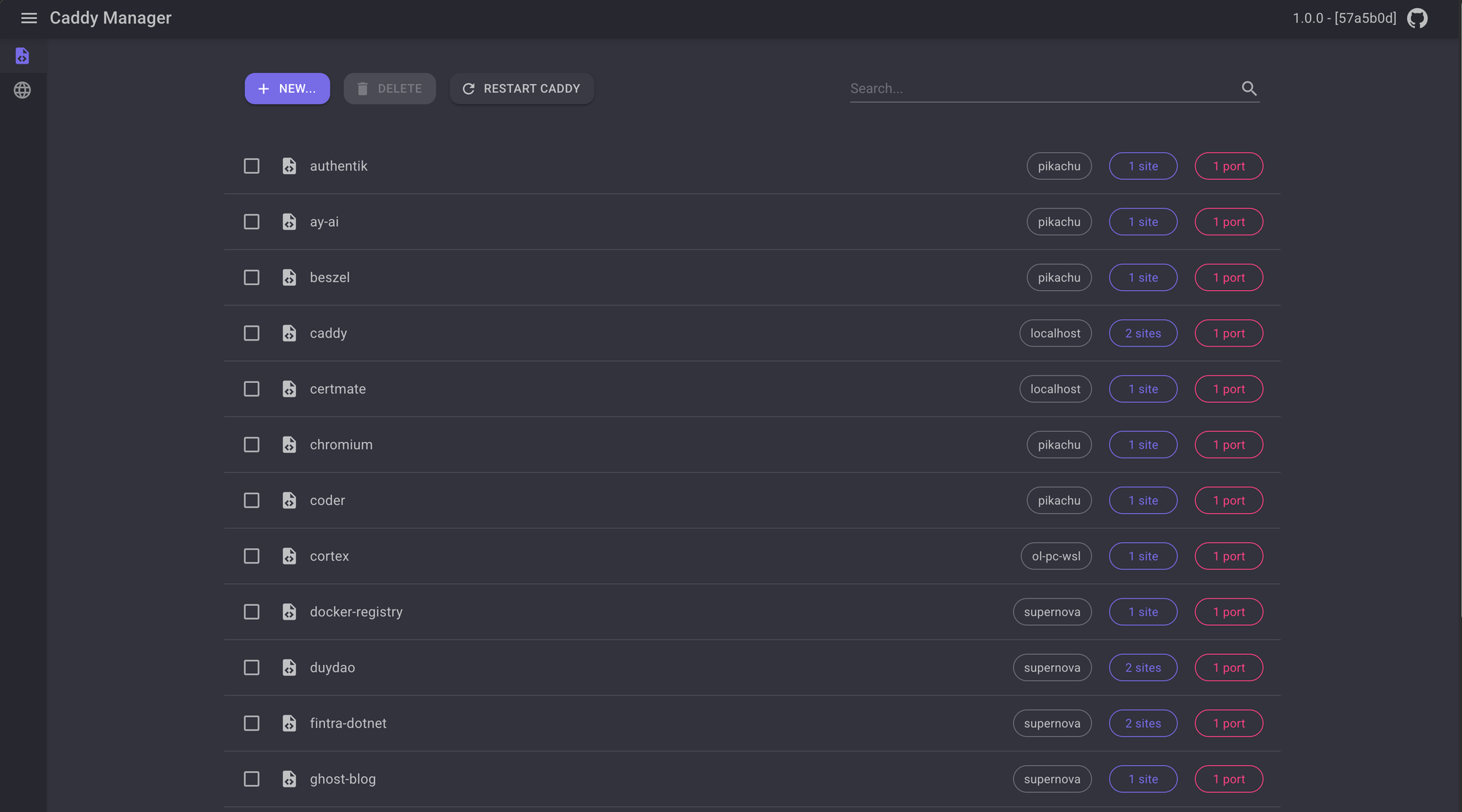
- List and view configurations: See all your Caddy configuration files in one place.
- Edit files in the browser: Make changes directly from the UI.
- Create new site configs: Add new
.caddyfiles for new services or domains. - Delete configs: Remove old or unused configuration files safely.
- Edit the global
Caddyfile: Manage the main entry point for your Caddy setup. - Restart Caddy container: Apply changes by triggering a reload of the Caddy container using Docker. This helps ensure your changes take effect without manual intervention.
Technology
- .NET 9, Blazor Server, MudBlazor: The frontend uses Blazor Server for interactive UI, with MudBlazor components for a clean look.
- Docker: The app is packaged as a Docker container for easy deployment. It is intended to run alongside your Caddy container.
- GitHub: Source code and issue tracking are managed on GitHub.
Deployment
To use Caddy Manager, you need Docker and a running Caddy container. Below is an example deployment with the Docker compose:
services:
  caddy:
    image: caddy:latest
    container_name: caddy
    restart: always
    network_mode: "host"
    security_opt:
      - label:disable
    volumes:
      - /root/compose/caddy/config:/etc/caddy
      - /etc/localtime:/etc/localtime:ro

  caddy-manager:
    image: ghcr.io/daothanhduy305/caddymanager
    container_name: caddy-manager
    restart: always
    environment:
      ASPNETCORE_ENVIRONMENT: "Production"
      CaddyService__ConfigDir: "/config"
      DockerService__CaddyContainerName: "caddy"
    # To have the access to the caddy config file
    user: "1000:1000"
    ports:
      - "8080:8080"
    volumes:
      - /root/compose/caddy/config:/config
      - /var/run/docker.sock:/var/run/docker.sock
Screenshots
Contributions
Contributions are welcome—bug reports, feature requests, and pull requests all help improve the project. See the contributing guidelines for details.
Get Started
You can find the source code and more information on the Caddy Manager GitHub repository.
Contact: Ebolo - @daothanhduy305 - daothanhduy305@gmail.com